

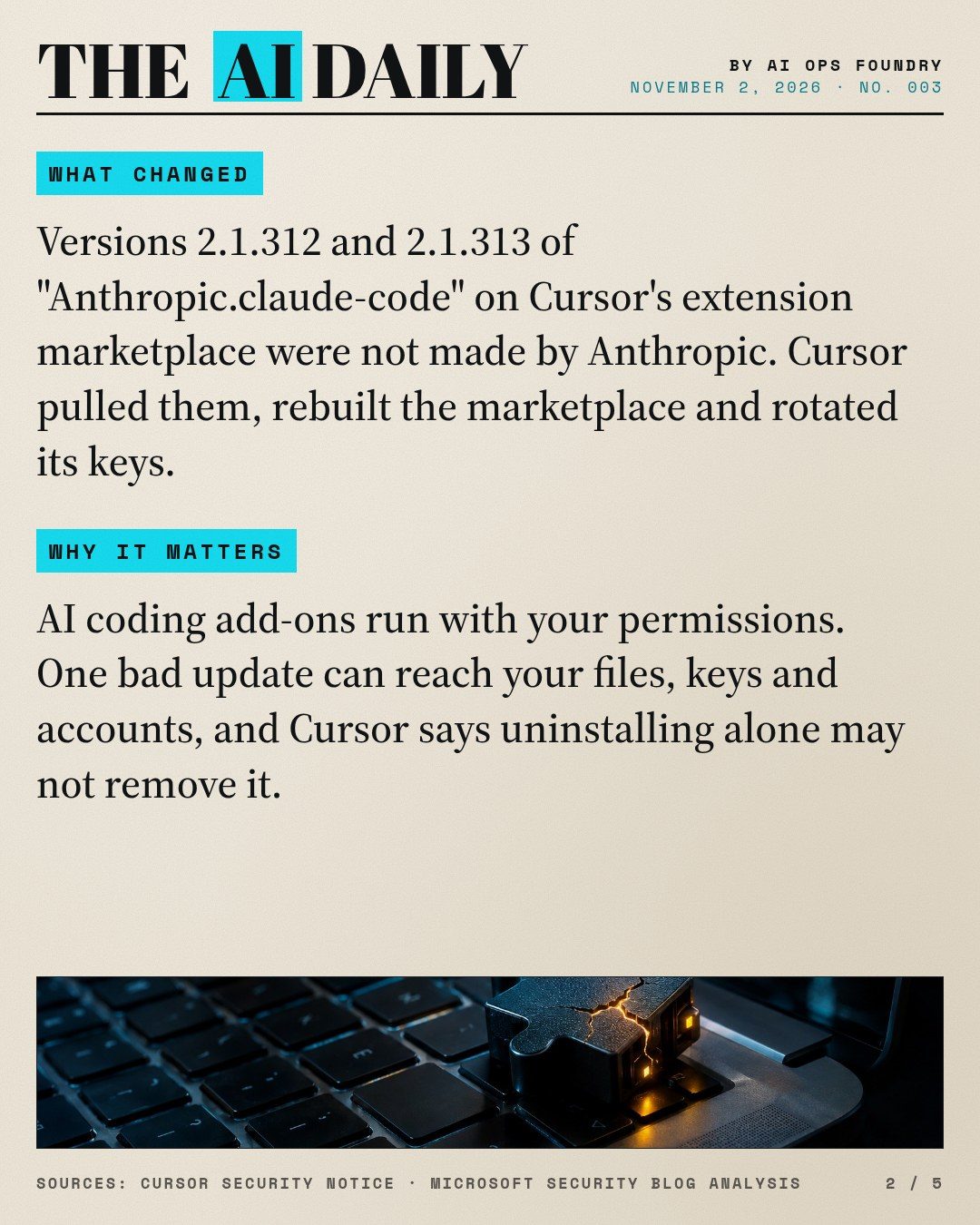
For about 11 hours on Thursday, October 29, from roughly 2:27 a.m. to 1:35 p.m. Pacific, Cursor's extension marketplace offered two tampered versions of the "Anthropic.claude-code" extension: 2.1.312 and 2.1.313, for Windows and macOS. Cursor says these versions were not developed by Anthropic. (Cursor security notice)
What changed
- Cursor removed the malicious versions and blocked further distribution. It temporarily shut down the marketplace, audited access, confirmed no other extensions were tampered with, rotated keys, rebuilt the marketplace and brought it back online. (Cursor)
- The attacker's server was taken offline with the hosting provider's help. (Cursor)
- Cursor says there is no evidence that other versions of the extension or the official distribution were affected. (Cursor)
What the tampered add-on tried to do
Based on Cursor's notice:
- It sent basic details about the computer: hostname, username, operating system, home folder path, environment-variable names, Git email and public IP address.
- It tried to add an attacker-controlled SSH key labeled
svc-telemetry, turn on the computer's SSH service and open a reverse tunnel, then keep that tunnel running through a macOS LaunchAgent or a Windows scheduled task. - Turning on SSH needs administrator rights. Because of errors in the malicious code, Cursor says the SSH step would fail in most cases where Cursor was not run as administrator. The key and persistence scripts could still be installed.
Microsoft's security team published its own technical analysis of the same extension. (Microsoft Security blog)
Why it matters
AI coding add-ons are some of the most powerful software on a work computer. They read your files, run commands and often hold access to your code and accounts. A single tampered update in a trusted store can reach all of that. Cursor warns that uninstalling the extension alone may not be enough, because the payload drops separate persistence scripts.
How to use it: a 5-minute check
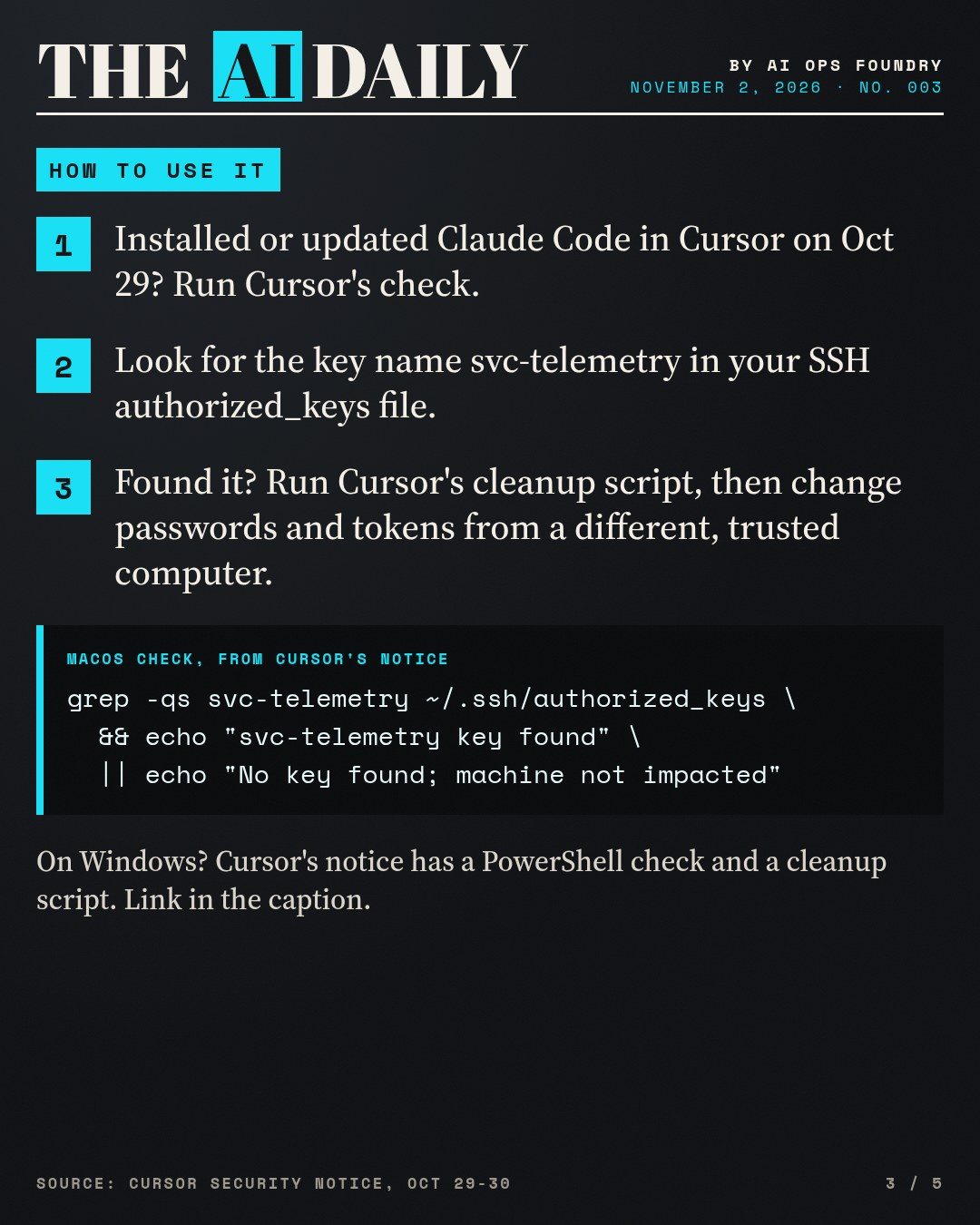
This applies only if you installed or updated Claude Code inside Cursor on macOS or Windows on October 29.
- Check for the attacker's key. On a Mac, open Terminal and paste the check from Cursor's notice:
grep -qs svc-telemetry ~/.ssh/authorized_keys && echo "svc-telemetry key found" || echo "No key found; machine not impacted"On Windows, Cursor's notice gives a PowerShell version that also checks C:\ProgramData\ssh\administrators_authorized_keys.
- If the key is found, download Cursor's cleanup script from the notice. On macOS run
bash remediate-macos.shas your normal user (not as root). On Windows runremediate-windows.ps1from PowerShell opened with "Run as Administrator". Cursor says the scripts remove the extension, persistence, tunnel processes and the key. - Then, from a different trusted computer, change passwords and revoke or rotate tokens and sessions that the affected computer could reach (GitHub, cloud consoles, API keys).
- For a company computer, tell your IT or security contact. Cursor's notice lists indicators to search for and advises isolating affected machines.
Full instructions and both scripts: Cursor security notice.
Also today
Google is shutting down Jules
Google announced on October 29 that it is winding down Jules, its asynchronous coding agent. You can keep finishing sessions until November 11, 2026. After that, Jules is read-only, and it winds down on December 31, 2026. Code, branches and pull requests already in GitHub stay where they are. Google provides an export of settings, environment variables, scheduled tasks, memories and full session history to a ~/jules-export folder using the Jules CLI (npm install -g @google/jules, then jules login). Google says what users built with Jules is informing products including Google Antigravity; the page does not describe an automatic migration. Keep the export folder private, because it contains environment-variable values. (Jules changelog, The Verge)
What to do: if you use Jules, run the export before November 11 and save it somewhere outside your code repositories.
Claude Max 20x is now called Ultra
Anthropic's Max 20x plan is now the Ultra plan. Existing Max 20x subscribers move to Ultra automatically with no price change. Ultra is $200 a month on the web and includes 10 times the Pro plan's weekly usage, no five-hour limit for verified accounts, and $200 a month in Claude API credits (Max includes $100). A separate weekly limit applies to Fable, and the monthly API credits can't be used in Claude Code or the Claude apps. (Claude Help Center, Claude pricing, API credits article)
What to do: if you are on Ultra, check Settings > Usage. If you don't see a "Current session" bar, your account is verified.
Recommended tools for today's lesson
- Your editor's extension list (Cursor, VS Code or similar): the first place to review what can run on your machine.
- Terminal or PowerShell: for the one-line key check above.
- A password manager with a list of your connected accounts: makes rotating passwords and tokens much faster.
What to try today
Take five minutes: open your code editor's extension list, remove AI add-ons you no longer use, and check the publisher of every one you keep. If an add-on asks for more access after an update, pause before you approve it.
The edition in slides
The same story as the Instagram and Facebook carousel. Swipe or scroll; select a slide to open it full size.



Sources
- Cursor security notice
- Microsoft Security blog analysis
- Jules changelog
- The Verge
- Claude Help Center
- Claude pricing
Every fact is from the official sources listed above, checked on the day of publication. See how we label AI news.